What Is the Best Unlocked Mobile Hotspot That Works With an eSIM?
The Netgear Nighthawk M7 is the best unlocked mobile hotspot with eSIM for loading third-party plans. An unlocked eSIM phone is an affordable alternative, while Acer and Solis use proprietary connectivity. Most eSIM plans support hotspot, but tethering rules vary by provider.

The best unlocked mobile hotspot that works with an eSIM is the Netgear Nighthawk M7, which supports third-party eSIM installation through its app. For a lower-cost option, use an unlocked eSIM-compatible smartphone as a personal hotspot. The Acer Connect Enduro M3 and Solis Pro 5G are strong travel hotspots, but they use proprietary connectivity and do not accept standard third-party eSIM plans.
The important caveat is that not every mobile hotspot with eSIM support accepts a plan that you supply. The Acer Connect Enduro M3 and Solis Pro 5G use proprietary virtual connectivity, so they are not standard routers for loading any international eSIM.
This comparison covers the best devices, explains whether you can use hotspot with eSIM data, and shows how to fix a hotspot not working with eSIM.

Quick Verdict: Top Unlocked eSIM Hotspots in 2026
The Netgear Nighthawk M7 is the best hotspot device with eSIM support in this comparison because its app supports third-party eSIM installation by scanning a Quick Response, or QR, code.
The Acer Connect Enduro M3 is the best rugged travel option, but its vSIM service is proprietary, while an unlocked eSIM-compatible smartphone is the most affordable choice because it avoids buying extra hardware.
Choose the M7 for dedicated connectivity, a spare phone for value, or the Acer and Solis only if you want their built-in data services rather than your own international eSIM.
Best Unlocked Mobile Hotspots and Alternatives
The table uses 5G for fifth-generation mobile network technology, 4G for fourth-generation mobile network technology, Gbps for gigabits per second, mAh for milliampere-hours, and mmWave for millimeter-wave 5G.
Top Standalone Mobile Hotspot Devices Compatible With eSIM
When people search for a hotspot device with eSIM, they may mean either a router that accepts a plan they supply or a router that connects without a removable SIM. Those are different categories.
- A standard eSIM-compatible router lets you choose a compatible provider, such as Jetpac.
- A proprietary virtual-SIM device connects through the manufacturer’s own service, which may simplify setup but limits your choice of data provider.
Read more: Not sure which eSIM app to use for your travels? Explore Best eSIM Apps for International Travel 2026: Buyer's Guide to compare apps, features, coverage and plans before choosing one.
#1. Netgear Nighthawk M7: The Gold Standard
The Netgear Nighthawk M7, model MH7150, is the strongest dedicated option here for a mobile hotspot with eSIM support. Through the Netgear app, users can buy plans through the Netgear eSIM marketplace. Netgear support documentation also describes an Add My Own eSIM option for importing a third-party eSIM by scanning its QR code.
The M7 supports Wi-Fi 7, speeds of up to 3.6 Gbps, up to 32 connected devices, and up to 10 hours of battery life. Netgear lists the current US price at $499.99 and says the device supports eSIM and physical SIM connectivity, with compatible 5G and 4G service in more than 140 countries through its marketplace.
The M7 is not automatically compatible with every provider. The profile must support the router, and the device must be unlocked and compatible with the relevant cellular bands. Check the provider’s device and hotspot requirements before buying.
#2. Netgear Nighthawk M6 Pro: Physical-SIM-Only Alternative
The Netgear Nighthawk M6 Pro, model MR6550, is a high-performance alternative for users who need 5G mmWave and Wi-Fi 6E. It supports up to 32 connected devices and includes a 2.5-gigabit Ethernet port for wired connections.
However, it should not be confused with the M7. The M6 Pro documentation describes a physical nano SIM setup, so it is not the right choice if you need to scan and install your own eSIM. It is better described as an unlocked physical-SIM hotspot than as an eSIM device.
#3. Acer Connect Enduro M3: Best Rugged Outdoor Pick
The Acer Connect Enduro M3 is designed for outdoor use, with IP54 protection and MIL-STD-810H durability certification. IP54 is an Ingress Protection rating indicating protection against limited dust ingress and water splashes. MIL-STD-810H refers to a United States military testing standard for equipment durability.
The device has a 6,500 mAh battery, Wi-Fi 6, and support for up to 16 connected devices according to Acer and related product information. Acer’s vSIM, or virtual SIM, technology and SignalScan service can select a strong available 5G or 4G network without requiring a removable SIM.
That convenience comes with a limitation. The Enduro M3 uses proprietary vSIM connectivity, so you cannot scan a third-party eSIM QR code and load a provider such as Jetpac onto it. It is a good rugged hotspot, but not a standard eSIM router.
#4. Solis Pro 5G: Best All-in-One Power Bank Hotspot
The Solis Pro 5G combines a portable hotspot with an 8,000 mAh power bank. It uses SIMO’s Cloud SIM service and can connect up to 20 devices, according to SIMO support information. It also supports 5G, 4G LTE, and Wi-Fi 6E.
The Solis Pro connects through SIMO’s own multi-carrier service, with data plans available through the Solis platform. That makes it convenient for travelers who want hardware and connectivity from one provider.
It is not a standard router for third-party eSIM plans. If you want to install a Jetpac eSIM, the Solis Pro is not the right device. Choose it only if you are comfortable using SIMO’s built-in data service.
The Smart Alternative: Using an Unlocked Smartphone as an eSIM Hotspot
Before spending $400 or more on dedicated hardware, check whether you already own an unlocked phone that supports eSIM. A compatible iPhone, Google Pixel, or Samsung Galaxy can scan a QR code, install a data plan, and share its mobile connection through a personal hotspot.
Possible examples include later iPhone SE models, iPhone 11 and newer, Google Pixel 4a and newer, and Samsung Galaxy S20 models. eSIM support can vary by exact model, carrier version, and country, so check the device specifications before relying on it.
Travelers comparing eSIM-compatible devices should also check whether the phone is carrier-unlocked, supports the relevant network bands, and allows tethering on the selected plan. The number of stored and active profiles also varies, so check How Many eSIMs Can You Have before choosing a phone for multiple trips.
Read more: Deciding between an eSIM and a traditional SIM? Explore eSIM vs Physical SIM: An Honest Comparison for the differences in setup, flexibility, compatibility, and everyday travel use.
This option does not require extra hardware, although it still requires a compatible data plan and uses the phone’s battery. It is usually better for one or two travelers who need to connect a laptop or tablet occasionally. A dedicated router is more practical for larger groups, long workdays, or situations where you want to keep your primary phone available.
Read more: New to eSIM technology? Explore How Does eSIM Work? Everything You Need to Know to understand how eSIMs connect your device, replace physical SIMs, and work while travelling.
Does Hotspot Work With eSIM? Tethering and Sharing Explained
If you’re wondering, “does a hotspot work with eSIM connections?” on most modern phones and tablets, yes. An eSIM provides a cellular data connection in the same way as a physical SIM, so your device’s Personal Hotspot or tethering feature can share that connection with other devices, such as laptops, tablets, or other smartphones.
The main limitation usually comes from the data plan, not the eSIM technology. Some providers restrict tethering, slow hotspot traffic, or apply a separate daily allowance measured in MB. That is why travelers should check hotspot rules before buying a plan.
Read more: Still wondering whether an eSIM will work when you travel abroad? Explore Can eSIMs be used internationally? (Everything You Need to Know) for international compatibility, setup, and what to check before your trip.
Can I hotspot with an eSIM on every plan?
No. A device may support tethering while the provider blocks or limits it. If you need to connect a laptop regularly, choose an eSIM with unlimited hotspot support and check whether “unlimited” applies to both the primary device and tethered devices.
An eSIM with unlimited hotspot sharing can be useful for remote work, navigation, file transfers, and connecting several devices. However, read the speed policy carefully. An eSIM with unlimited hotspot may still reduce speeds after a daily high-speed allowance.
For travelers asking "does a hotspot cost money or is it free?", the answer depends on the mobile plan. Hotspot use normally draws from the plan’s data allowance, so it may cost more when tethering is restricted or when extra data is required. The basics are covered in What Is a Hotspot and Why Do You Need One?, which explains how a phone or router shares a cellular connection.
How to Fix a Hotspot Not Working With eSIM
If you have a hotspot not working with eSIM, check the device, plan, and network settings before assuming the eSIM is defective. Use the following sequence:
STEP #1 - Verify that the device is unlocked
A carrier-locked phone or router may reject an outside eSIM or restrict it to the original provider.
STEP #2 - Confirm that the plan allows tethering
Some plans support mobile data but block personal hotspot use. Check the provider’s terms before changing technical settings.
STEP #3 - Check the personal hotspot APN
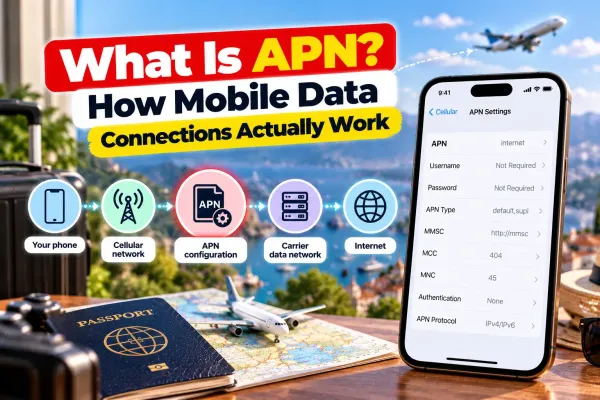
APN means access point name. If the provider supplies a separate hotspot APN, enter it in the device’s Personal Hotspot settings. Do not guess the APN, because the correct value varies by provider.
STEP #4 - Enable data roaming when required
Travel eSIMs often use roaming agreements with local networks. Enable data roaming on the eSIM line if the provider’s setup instructions require it.
STEP #5 - Toggle airplane mode and restart
This can force the device to reconnect to the available cellular network.
STEP #6 - Enable Maximize Compatibility on iPhone
On iOS, Apple’s iPhone operating system, this setting changes the personal hotspot connection to a more widely compatible frequency. It can help older laptops connect.
STEP #7- Check the receiving device
Forget the hotspot network on the laptop or tablet, then reconnect using the current hotspot password.
If the hotspot not working with eSIM problem continues, contact the provider and confirm that the plan supports tethering on your specific device. If you are asking "can you use hotspot with eSIM on a router rather than a phone?", confirm that the router accepts third-party profiles, not just a proprietary virtual SIM.
Best Travel eSIM for Mobile Hotspots: Jetpac eSIM
For an eSIM for international travel, the plan’s hotspot rules matter as much as the device. A useful international eSIM should support tethering, cover your destinations, and provide clear activation and roaming instructions.
Jetpac works on a compatible unlocked eSIM phone and can be installed on the Netgear Nighthawk M7 through the device’s third-party eSIM process. It does not install on the Acer Enduro M3 or Solis Pro because those devices use proprietary connectivity systems.
For readers comparing the best eSIM with hotspot support, Jetpac is a practical option when the device accepts third-party eSIM profiles.
Jetpac eSIM provides hotspot support for travelers who want to share data with a laptop, tablet, or another phone without any data restrictions. Jetpac provides free access to WhatsApp, Google Maps, Uber, and Grab even after data is used up. The eSIM automatically connects to the strongest available local network where supported.
Read more: Considering eSIM instead of traditional roaming for your next trip? Explore eSIM vs Roaming: Which Option is Best for Travelers? to compare costs, convenience, coverage, and connectivity abroad.
NOTE: Jetpac is data-only and does not provide standard SMS, or short message service, on the eSIM. Voice packs are available separately through the Jetpac app. SmartDelay airport lounge access is also available when a registered flight is delayed by at least 60 minutes, subject to the program’s registration and eligibility requirements.
FAQs
Can You Use a Hotspot With an eSIM?
Yes, can you use hotspot with eSIM data on most modern phones and tablets. Usually, provided the device is unlocked and the provider allows tethering. Some plans impose a separate hotspot limit or reduce speeds after a daily allowance.
What Is the Best Unlocked Mobile Hotspot That Works With eSIM?
The Netgear Nighthawk M7 is the clearest dedicated choice because it supports third-party eSIM installation through its app. An unlocked eSIM-compatible phone is the better value if you do not need a separate router.
Why Is My Personal Hotspot Not Working With My Travel eSIM?
Common causes include a locked device, an incorrect APN, disabled data roaming, or a plan that does not support tethering. Confirm the provider’s setup requirements before changing APN settings.
Can I Share an eSIM Connection With Multiple Devices at Once?
Yes, can I share hotspot with eSIM data to several devices? If the device and plan support tethering, you can connect a laptop, tablet, or another phone. The number of connected devices depends on the phone or router.
Does Jetpac eSIM Allow Unlimited Hotspot Sharing?
Jetpac states that hotspot sharing has no separate data limits or restrictions. Its unlimited plans still apply a speed policy: the first 3 GB every 24 hours is at standard speed, followed by speeds of up to 1 Mbps.
Is It Better to Buy a Portable Wi-Fi Device or Use an eSIM on My Phone?
Use an eSIM phone if you want the lowest-cost setup and only need to connect a few devices. Buy a dedicated router if you need more simultaneous connections, want to preserve your phone’s battery, or need a rugged device for field use.
Can I Scan a Third-Party eSIM QR Code Onto Any Portable Router?
No. The Netgear Nighthawk M7 supports a third-party eSIM import process through the Netgear app. The Acer Connect Enduro M3 and Solis Pro use proprietary vSIM or Cloud SIM services, so they are not designed for loading an outside eSIM.
How Do I Choose the Best eSIM With Hotspot Support for International Travel?
Look for a plan that clearly permits tethering, covers your destinations, and explains any speed or daily data limits. The best eSIM for international travel is not necessarily the cheapest plan, especially if you need to connect a laptop or several devices. Jetpac is among the best eSIM options for international travel when you need hotspot sharing and coverage across multiple destinations.
Disclaimer
This blog is for general informational and planning purposes only. Device prices, specifications, battery performance, network compatibility, coverage, plan pricing, and hotspot policies can change. Manufacturer claims may reflect laboratory or ideal conditions, while actual performance depends on network availability, location, device settings, congestion, and connected devices. Check the exact phone or router model, carrier-lock status, supported bands, and provider terms before purchasing. Jetpac is not responsible for inaccuracies, changes, or losses arising from reliance on this information. Always check the official manufacturer and provider sources before finalizing your purchase.
Get connected as soon as you land with a Jetpac travel eSIM.